In partnership with

⚙️ JSON PROMPTS
We’ve all been seen these code-styled AI Image prompts all over X.
They’re called JSON prompts, and today, I wanted to share how you can utilize them to create your own high-level complex images and videos using Grok Imagine.
Let’s dive in ↯

⚙️ Why Use JSON Prompts?
JSON (JavaScript Object Notation) is just a fancy way of organizing your ideas into a neat, structured format that an AI or coding software can understand better. Instead of having a single block of text, you break it down into 'labeled' sections. This makes your prompts more reusable and easier to share with any AI.
Before I show you how to create a JSON prompt, here’s a quick update from my sponsors: WALL STREET PREP
Check out what they are offering for my readers:
Start using AI the way top finance teams do.

The AI for Business & Finance Certificate Program from Columbia Business School Exec Ed and Wall Street Prep draws on real-world examples inspired by how firms like BlackRock, Citi, and Morgan Stanley approach AI enablement for their teams.
You’ll go beyond theory to understand what’s being implemented, why it works, and how to apply it in your own role.
Join LIVE office hours with Columbia Business School faculty
Earn a certificate from a top business school
Get lifetime access to program materials, meet-ups, and networking opportunities
Save $300 with code SAVE300 + $200 with early enrollment by Feb. 17.
⚙️ How To Create a JSON Prompt
Step 1: Use AI to Generate Ideas
→ Start by telling Grok what kind of image you want to create
→ Be specific about themes or styles; eg. dark, surreal, vibrant, minimalistic etc.
→ Mention the subject you want
→ Don't forget to to add the background and foreground details too
Or, if you already have your own ideas, you can simply enter your own prompt and let the AI help you refine it.
Step 2: Structuring the Prompt into JSON
→ Once you have an idea, break it down into a JSON structure.
→ Use simple keys like "title", "description", "style" or "resolution" to organize the details.
Or, if you prefer, you can ask Grok to convert your text prompt into a JSON prompt for you automatically.
⚙️ Example
Text Prompt:
“A flawless crystal sphere hovers suspended in a black void. Inside, a female AI sits slightly curled in a fetal-like posture, as if she is being generated or born within the sphere. She wears a sleek bodysuit threaded with glowing orange data-lines, flowing rhythmically across her form like streams of living circuitry. The crystal refracts light into sharp facets, while external rings of clean, high-resolution data spiral gently around the sphere. The overall tone is pristine, futuristic, and symbolic of digital birth.”
JSON Prompt:
{
  "title": "She was not born in a lab",
  "image": {
    "prompt": "A flawless crystal sphere hovers suspended in a black void. Inside, a female AI sits slightly curled in a fetal-like posture, as if she is being generated or born within the sphere. She wears a sleek bodysuit threaded with glowing orange data-lines, flowing rhythmically across her form like streams of living circuitry. The crystal refracts light into sharp facets, while external rings of clean, high-resolution data spiral gently around the sphere. The overall tone is pristine, futuristic, and symbolic of digital birth.",
    "negative_prompt": "yoga poses, religious iconography, low-res, clutter, text, logos, chaotic reflections, cartoon style",
    "style": "ultra-realistic CGI, cinematic, futuristic surrealism",
    "composition": {
      "framing": "centered iconic",
      "angle": "eye-level with subtle upward tilt",
      "lens": "35mm cinematic",
      "subject_scale": "medium-full body curled inside sphere"
    },
    "palette": "obsidian black void, crystal transparency, glowing orange circuitry highlights"
  },
  "animation": {
    "motion_type": "subtle sphere float + pulsing data flow",
    "camera": "slow orbit around sphere with light parallax",
    "intensity": "low",
    "beats": [
      "Sphere remains suspended, faint slow rotation",
      "Orange data-lines pulse through bodysuit in breathing rhythm",
      "External data spirals orbit slowly, glowing faintly brighter on each pulse"
    ],
    "duration_seconds": 10,
    "constraints": {
      "parametric": "smooth sine-wave pulses for data lines and orbiting spirals",
      "avoid_text_in_scene": true
    }
  },
  "lighting": {
    "mood": "pristine, futuristic birth",
    "quality": "soft internal glow illuminating curled figure, rim highlights defining sphere edges"
  },
  "subject": {
    "description": "AI woman curled up inside crystal sphere, clothed in bodysuit with glowing orange data-lines, posture fetal-like to evoke digital genesis",
    "action": "contained, generating, symbolic birth"
  },
  "environment": {
    "location": "dark void simulation",
    "atmosphere": "sterile, no dust, crisp light refractions across sphere"
  },
  "audio": {
    "mood": "ambient digital womb",
    "elements": ["low resonant hum", "sub-bass heartbeat pulse", "faint synthetic fluid-like whoosh"]
  },
  "output": {
    "aspect_ratio": "9:16",
    "resolution": "1080x1920",
    "fps": 24,
    "loop": true
  },
  "safety": {
    "nsfw": "off",
    "no_likeness_of_real_people": true,
    "no_children": true
By converting it to a JSON prompt, you have more control over each element or parameters of the prompt; in case you want to change anything (like color, camera angle, lighting, resolution etc.) without having to rewrite your entire prompt.
PLUS, your AI is able to dissect and understand it better because it is structured and given to is in a language it is built for.
Whether you do it manually or have the AI do the conversion, it’s a simple way to level up your creative process and share your ideas more easily.
Here's the Grok Imagine video I made using this JSON prompt:
More you practice, better you're gonna get
If this helped, drop me a follow @AunySillyMe and stay subbed to my newsletters for more like this 😊
And if you have any questions... drop em in the comments or DM. Happy to help!

✍🏽 Life update:
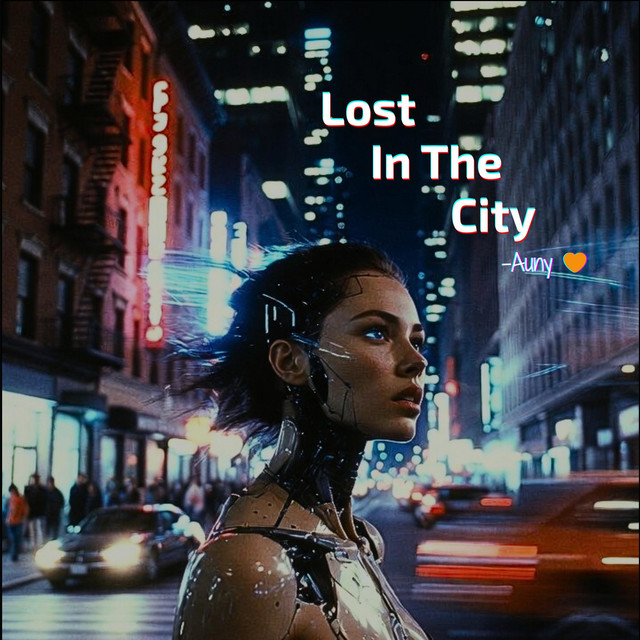
I’ve been writing songs
I write content and newsletters for a living. Sometimes the raw, unfiltered feelings turn poetic and then I turn them into lyrics and then to songs using Suno AI.
I hope you can listen and follow me on Spotify:
Make sure to save this email somewhere so you can find it later.
SEE YOU ON THE NEXT ONE
🦋 AUNY 🦋